CarbitLink-EasyConnection
- 3.0
- Rating
- 5.00M
- Installs
- Free
- Price

 Analysis by App-foxy
I approached CarbitLink-EasyConnection as a driving companion rather than a general travel app. That distinction matters: its value depends less on browsing features at home and more on whether the connection between a phone and a vehicle feels understandable when attention, time, and road conditions are already demanding. In my experience, the app makes the most sense for drivers whose car supports its connection system and who want selected phone functions presented through the vehicle rather than handled entirely on a small handset.
It is a free Travel & Local app from Wuhan CARBIT Information Co.,Ltd, available to everyone and compatible with Android 7.0 or later. The app has been around since October 2017 and has reached over five million installs, although its average rating sits at 3.0 from roughly fifteen thousand ratings. That combination tells me to approach it with practical expectations: it is widely used, but the experience can vary considerably depending on the phone, vehicle, connection method, and the way each person interacts with the interface.
The central question is not whether it can replace every travel tool, but whether it reduces phone handling during a journey. For some drivers, that can be a meaningful improvement. For others, especially people who need highly predictable controls or who use a vehicle without compatible support, the setup effort may outweigh the benefit.
You May Also Like

 Blood Strike: 2.5 Anniversary
Blood Strike’s Loadouts Turn Every Drop Into a Tactical Gamble
A close look at Blood Strike’s custom loadouts: how fast access to signature weapons reshapes its battle royale rhythm, rewards preparation, and narrows the gap between fights.

 Pandora - Music & Podcasts
Pandora’s Music Is Easy to Start, but Harder to Recover
Pandora’s strength is its low-effort path from a seed to a station. Its weak spot is how much confidence it asks you to place in connection, setup, and quiet recovery.

 8 Ball Pool
 Is Built on Rivalries, Rematches, and Routine
A close look at the rivalries, rematches, shared routines, and unanswered safety questions that turn a quick pool match into a persistent mobile community.

 Samsung Music
’s Quiet Strength Is Playing What You Already Own
Its reach comes less from spectacle than from dependable access to a personal library. That simplicity is both the app’s strongest retention engine and its ceiling.

 AccuWeather: Weather Radar
AccuWeather Review: A Quick, Clear Forecast for Everyday Decisions
For everyday plans, the best forecast is the one you can understand quickly. AccuWeather makes rain timing, radar, and local conditions easy to act on, with a few trade-offs.

 Hill Climb Racing
Why Hill Climb Racing Still Turns Crashes Into One More Run
A tiny car, a bumpy hill and one more upgrade: Hill Climb Racing keeps resurfacing because its simple chaos makes every near-miss feel personal.
More From Our News Desk
View All News


How readable and manageable the experience feels
I find readability and manageability depend on whether the connected display makes a quick glance genuinely easier than checking the phone. This section looks at practical choices—such as preparing a route while parked and keeping the connection routine consistent—that can reduce mental effort before a journey. The next section considers how different bodies and sensory needs can change what “easy to use” means.
Navigation is best judged from the driver’s seat
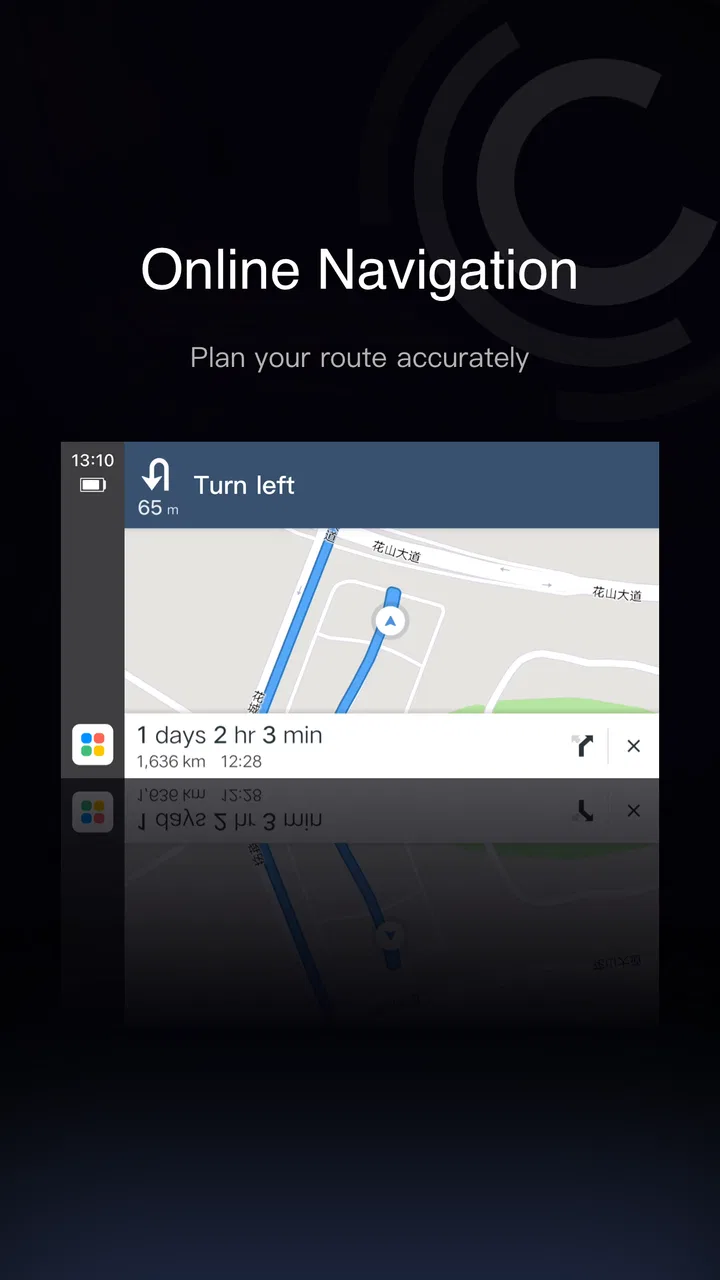
When I evaluate an app intended for use around a car, I pay attention to a different kind of simplicity than I would with a normal map or booking application. A screen can look perfectly clear on a desk and still be awkward when it is mounted farther away, viewed briefly, or used while the vehicle is moving. CarbitLink-EasyConnection is therefore most useful when its connected experience is displayed through the car’s own screen and controls, rather than forcing the driver to keep looking down at the phone.
The initial setup deserves patience. A person should install the app before leaving, open it while parked, and work through the connection process without the pressure of traffic waiting behind them. This is not just a convenience tip. It is an accessibility measure: reducing time pressure helps drivers who read slowly, process instructions carefully, or find unfamiliar pairing steps tiring. If the connection fails, repeatedly trying the same action at the roadside can become more stressful than simply using the vehicle’s existing system.
I also recommend treating the phone as the preparation device and the car display as the driving interface whenever the vehicle supports that arrangement. The phone is easier to hold and inspect during setup, but it is usually a poor primary screen once a trip begins. A larger in-car display can make labels easier to see, while steering-wheel or dashboard controls may reduce the need for precise touches. The exact experience depends on the compatible vehicle, so I would not assume that every car exposes the same controls.
Why familiarity matters more than visual polish
For occasional users, the hardest part may not be finding a function but remembering the sequence that makes it available. Someone who only connects the app before long journeys may forget whether the vehicle must be selected first, whether the phone needs to remain unlocked, or whether a cable or wireless connection is expected. I found that a short personal routine helps: start the car, wait until the vehicle system is ready, connect the phone, confirm the display, and only then begin navigation or media.
That routine is especially useful for people with memory difficulties or anyone who becomes overwhelmed by troubleshooting. It also helps families who share one vehicle. Instead of improvising every time, each driver can follow the same parked setup process. Keeping the phone charged and placing it where the driver can reach it without stretching is another small but important improvement.
The app’s store identity is straightforward, and the current version is 6.4.0, but a version number alone does not guarantee a smooth experience on every combination of hardware. I would install updates when convenient, then test the connection at home before relying on it for an unfamiliar route. A change in the phone, vehicle software, or cable can affect the practical result even when the app itself appears unchanged.
Reading while moving is the wrong goal
No connected driving tool should be treated as a way to read long messages, inspect dense menus, or explore settings while the car is in motion. This is both a safety issue and an accessibility issue. People with limited vision, attention differences, or slower visual processing may be tempted to spend extra time confirming what is on screen. The safer approach is to prepare destinations, music, and communication before departure, then use brief glances and simple controls during the trip.
For passengers, the calculation is different. A passenger may be able to help with setup, change a destination, or check whether a connection has been established. That shared workflow can make the app more practical for drivers who find small touch targets difficult, but it should never encourage the driver to delegate attention while actively controlling the vehicle.
Motor, sensory, and communication considerations
A setup that feels simple for one driver may be tiring or distracting for another, so I would judge the experience by the effort it asks of the person using it. Here I focus on useful adjustments and habits for drivers with motor, sensory, or communication needs, while keeping the vehicle’s own controls in view. The following section turns to everyday situations where those considerations can make a concrete difference.
Reducing repeated phone handling
The strongest inclusive idea behind a vehicle-connection app is the possibility of moving actions away from the phone. Reaching for a handset, holding it steady, and tapping small controls can be difficult for people with tremors, reduced dexterity, joint pain, or limited reach. If the connected vehicle offers physical controls or voice interaction, CarbitLink-EasyConnection may reduce those demands. I see that as a potential benefit rather than a universal promise, because the controls come from the supported car and connected services as much as from the app.
A useful habit is to complete the most precise actions before driving. Enter the destination, choose a route, select audio, and check the connection while parked. Then keep the journey itself to broad, familiar actions. This workflow helps anyone who struggles with fine motor control, but it also benefits drivers who simply dislike fiddling with technology in a moving car.
There is a trade-off, though. A connected system can introduce another layer between the phone and the vehicle. If the driver cannot tell whether a tap was accepted, a failed connection may lead to repeated attempts. For someone with limited hand movement, that uncertainty can be more frustrating than using the car’s original controls. I would test the system on a short, familiar drive before deciding whether it genuinely reduces effort.
Visual and auditory needs are not identical
People with low vision may appreciate having information transferred to a larger vehicle screen, but a larger screen is not automatically a readable one. Contrast, font size, glare, display position, and the driver’s seating position all matter. I would adjust the vehicle display and phone settings before driving, then check whether route instructions can be recognized with quick glances. If the information still requires prolonged reading, it is not serving the driver well.
Drivers who rely more on audio face a different set of questions. Clear spoken guidance can be helpful, but loud road noise, hearing loss, passengers, or competing audio can make instructions easy to miss. I would set the volume while parked and avoid assuming that an audible prompt will always be enough. A person who needs visual confirmation may prefer a combination of voice and screen guidance, while someone sensitive to sudden sounds may want fewer interruptions.
For sensory-sensitive users, the car environment itself may be the bigger challenge. Notifications, route changes, connection sounds, and unfamiliar interface behavior can add stimulation. Preparing the route in advance and limiting unnecessary interaction can make the experience calmer. I would not choose this app simply because it promises a more connected dashboard; I would choose it only if that connection makes the overall driving environment less demanding.
Communication should be planned, not improvised
One realistic scenario is a parent driving a child to an appointment in an unfamiliar area. Before leaving, the parent connects the phone, checks the route, and places the handset securely. During the trip, the larger vehicle display and available car controls may make it easier to follow directions without repeatedly picking up the phone. If a route change becomes necessary, the parent can pull over and handle it safely rather than trying to solve the problem while navigating traffic.
This same pattern can help a driver who has difficulty speaking clearly under stress or who prefers not to manage a conversation while driving. The important point is that the app should support preparation and reduced handling, not become a reason to interact more often. I would still keep emergency communication plans independent of the app, since a connection tool is not a substitute for knowing how to contact help through the phone or vehicle.
Where it helps in everyday driving situations
The app is most persuasive when a driver has a specific task—such as finding an unfamiliar appointment address—and can prepare the connection before setting off. I look at how that workflow may help on short trips, shared-car journeys, and less familiar routes, while noting when a built-in system is the simpler choice. The next section weighs the practical limitations that can outweigh those benefits.
Short trips and unfamiliar routes
CarbitLink-EasyConnection is most convincing when the driver already owns a compatible vehicle and wants one repeatable bridge between the phone and dashboard. A weekday trip to a new clinic, a pickup at an unfamiliar address, or a drive through a busy part of town are situations where avoiding repeated phone checks has real value. The app can fit into a routine in which the destination is prepared before departure and the driver then relies on the car’s connected presentation.
For a familiar commute, the benefit may be smaller. If the driver already knows the road and rarely needs navigation, installing and maintaining another connection layer may not change much. In that situation, the car’s built-in functions or a simple phone mount can be more practical. The app is not automatically an upgrade just because it connects a phone to a vehicle.
Shared cars and support from another person
Shared vehicles create a useful but overlooked case. One driver may be comfortable with setup while another may need a clearer routine. I would create a simple handover habit: disconnect the previous phone if necessary, connect the current one while parked, confirm that the intended display is active, and leave the phone in a stable location. This avoids the awkward moment when two people are trying to solve pairing problems just before departure.
A passenger can also act as a setup partner. That is valuable for older drivers, people with limited reach, or anyone who finds small on-screen instructions difficult. However, the passenger should help before the car moves or after pulling over. The app’s usefulness should be measured by how much safer and calmer the shared process becomes, not by how many functions are available.
Travel outside the driver’s normal routine
On a longer journey, the app may serve as the link that keeps navigation and other phone-based travel tasks visible through the vehicle. I would still download or prepare anything needed before leaving and keep a backup plan. A paper address, a familiar map option, or the vehicle’s original navigation can be useful if the connection stops working. This is not pessimism; it is sensible planning for any technology used in a situation where stopping is inconvenient.
People who travel across different vehicles should be particularly cautious. An experience that works well in one car may not feel identical in another because screen layout, controls, connection support, and audio behavior can differ. If accessibility depends on a particular display position or a particular physical control, confirm that the second vehicle provides it before relying on the app.
Remaining barriers and practical trade-offs
A connected driving setup adds a dependency: the phone, car, and connection routine all need to work well enough for the driver. I consider how to test that combination without making an important journey the first trial, and why a backup plan matters when reliability is essential. The final discussion weighs those barriers against the drivers most likely to gain from the app.
Compatibility is the first filter
The biggest barrier is simple: a phone app cannot create a complete in-car experience without a vehicle that supports the relevant connection. I would check the car’s documentation and test the exact phone before planning an important trip. This is the question I would answer first for a friend, because no amount of interface preference matters if the vehicle does not cooperate.
Android users should also remember the operating-system requirement. The app supports Android 7.0 and later, so an older handset may not be suitable. Even with a supported operating system, the phone’s age, storage condition, cable quality, and background behavior can influence reliability. A person who depends on consistent access should test the complete setup, not just confirm that the app installs.
Free to install does not mean every cost question disappears
The app is free, but it includes in-app purchases ranging from $0.99 to $29.99 per item. That does not by itself tell me which functions a particular driver will need, so I would avoid buying anything during a rushed setup. First establish whether the basic connection works and whether it actually improves the driving routine. For families sharing a device or account, it is also sensible to understand which purchase is being made before confirming it.
This pricing structure may be uncomfortable for users who need a predictable total cost. A free download is attractive for testing, but anyone on a strict budget should treat optional purchases as a separate decision rather than assuming that installation covers every possible use. If the car already provides the needed navigation and media functions, paying for an additional layer may not offer enough value.
Reliability matters more than feature count
The average rating of 3.0 suggests a mixed public experience, and I think that is important context for users who need dependable access. A driver who can tolerate occasional troubleshooting may find the app worthwhile. Someone who cannot safely or comfortably recover from a failed connection should prefer the most stable option already built into the vehicle, even if it has fewer features.
I would also be cautious about using the app on a phone that is shared for work, family, or accessibility purposes. Changing connection settings can affect the next person’s routine, and a driver who depends on a particular phone configuration may not appreciate unexpected changes. Keeping one tested phone for the car, when possible, can make the experience more predictable.
Who should choose another option
I would skip this app if my vehicle already offered a clearer, more reliable interface that met my needs. I would also look elsewhere if I needed extensive accessibility customization, highly specialized input support, or a guaranteed identical experience across several cars. A conventional dashboard system may be better for a driver who values consistency over phone integration.
A simple phone mount can also be the better choice in some cases, particularly when the driver only needs occasional map guidance and can position the phone at a readable angle before moving. The advantage is fewer connection steps; the disadvantage is that the phone remains a separate device in the cabin. The right choice depends on whether transferring the experience to the car genuinely reduces visual, motor, or cognitive effort.
An inclusive verdict for real-world drivers
After considering the app through an accessibility lens, I see CarbitLink-EasyConnection as a potentially useful bridge rather than a complete accessibility solution. Its best contribution is reducing the need to handle a phone directly when the vehicle supports a suitable connected display and controls. That can help drivers who find small touchscreens tiring, who benefit from a predictable pre-drive routine, or who want a passenger to assist with setup.
Its limitations are equally important. The experience depends heavily on the vehicle and phone combination, and the mixed 3.0 average rating means I would not recommend treating it as universally dependable. Setup should happen while parked, the connection should be tested before an important journey, and a backup should remain available. Those steps are especially important for people whose safety or independence depends on predictable navigation.
CarbitLink-EasyConnection is free to download, rated for Everyone, and maintained by Wuhan CARBIT Information Co.,Ltd. With its current 6.4.0 release, it remains relevant for drivers using supported Android devices, but I would judge it by the quality of the complete car setup rather than by the app alone. The most useful test is a short familiar trip: can the intended driver connect it without stress, read or hear what matters quickly, and recover safely if something fails?
My recommendation is cautious but positive for the right audience. If your car supports it and you want to reduce phone handling, it is worth trying at home and evaluating through your own visual, motor, sensory, and cognitive needs. If the connection introduces more uncertainty than it removes, the vehicle’s original system or a simpler alternative is the better answer. Inclusive design here comes from a well-prepared workflow and a compatible car, not from the app name alone.
FAQs for CarbitLink-EasyConnection
01What is CarbitLink-EasyConnection used for?
CarbitLink-EasyConnection is a smartphone-to-car connectivity app designed to bring selected mobile features to a compatible vehicle display. Depending on the car stereo and phone, it may support navigation, music, calls, contacts, notifications, and screen projection. Its exact functions are not identical on every vehicle, so users should confirm compatibility with their car manufacturer or head-unit documentation before downloading.
02Is CarbitLink-EasyConnection compatible with every Android phone and iPhone?
No. Compatibility depends on the phone model, operating-system version, USB connection, permissions, and the vehicle’s infotainment system. Some features may work only on Android, while iPhone support can vary according to the installed head unit and connection method. Before installation, check the app listing and your vehicle documentation, and use a reliable data cable rather than a charge-only cable.
03How do I connect my phone to the car using CarbitLink-EasyConnection?
After installing the app, connect the phone to the compatible vehicle system, usually through USB or another supported connection method, then approve the requested permissions and follow the on-screen pairing instructions. The car may need to be set to its smartphone-link or projection mode. If the connection fails, unlock the phone, try another cable or USB port, and restart both the app and the head unit.
04What permissions does CarbitLink-EasyConnection require, and are they safe?
The app may request access to functions such as location, contacts, phone calls, notifications, microphone, storage, Bluetooth, or USB-related services. These permissions can be necessary for navigation, hands-free calling, media control, and projection features, but you should review each request carefully. Grant only permissions you are comfortable with, and remember that restricting them may prevent certain features from working correctly.
05Does CarbitLink-EasyConnection work without an internet connection?
Basic phone-to-car communication and some locally stored media may work without mobile data, but several functions can depend on internet access or another app. Online navigation, traffic information, streaming services, cloud content, and software-related services generally require a connection. Performance can also be affected by the vehicle’s hardware and network conditions, so users should not rely on the app as their only navigation or emergency communication method.
Pros
- Supports screen mirroring for compatible Android and iPhone devices.
- Can bring selected phone navigation apps to the car display.
- Useful for accessing calls
- music and messages while driving.
- Connection setup is generally quick with a compatible vehicle system.
- Offers a familiar phone-based interface instead of a separate infotainment system.
Cons
- Compatibility depends heavily on the car stereo
- phone model and software version.
- Some features may require a wired USB connection rather than wireless pairing.
- Mirrored apps can be limited by phone permissions and driving-safety rules.
- Performance may suffer from lag
- disconnections or unstable USB cables.
- The app may request extensive permissions to provide its connected-car functions.

CarbitLink-EasyConnection
Gallery